E-3 was built on the shop floor, for the shop floor — 40+ integrated modules covering quotes, estimating, PO review, travelers, scheduling, the floor, inspection, maintenance, visitors, sales, collections and the company drive, in one fast cloud app that works on any device, in English and Spanish.
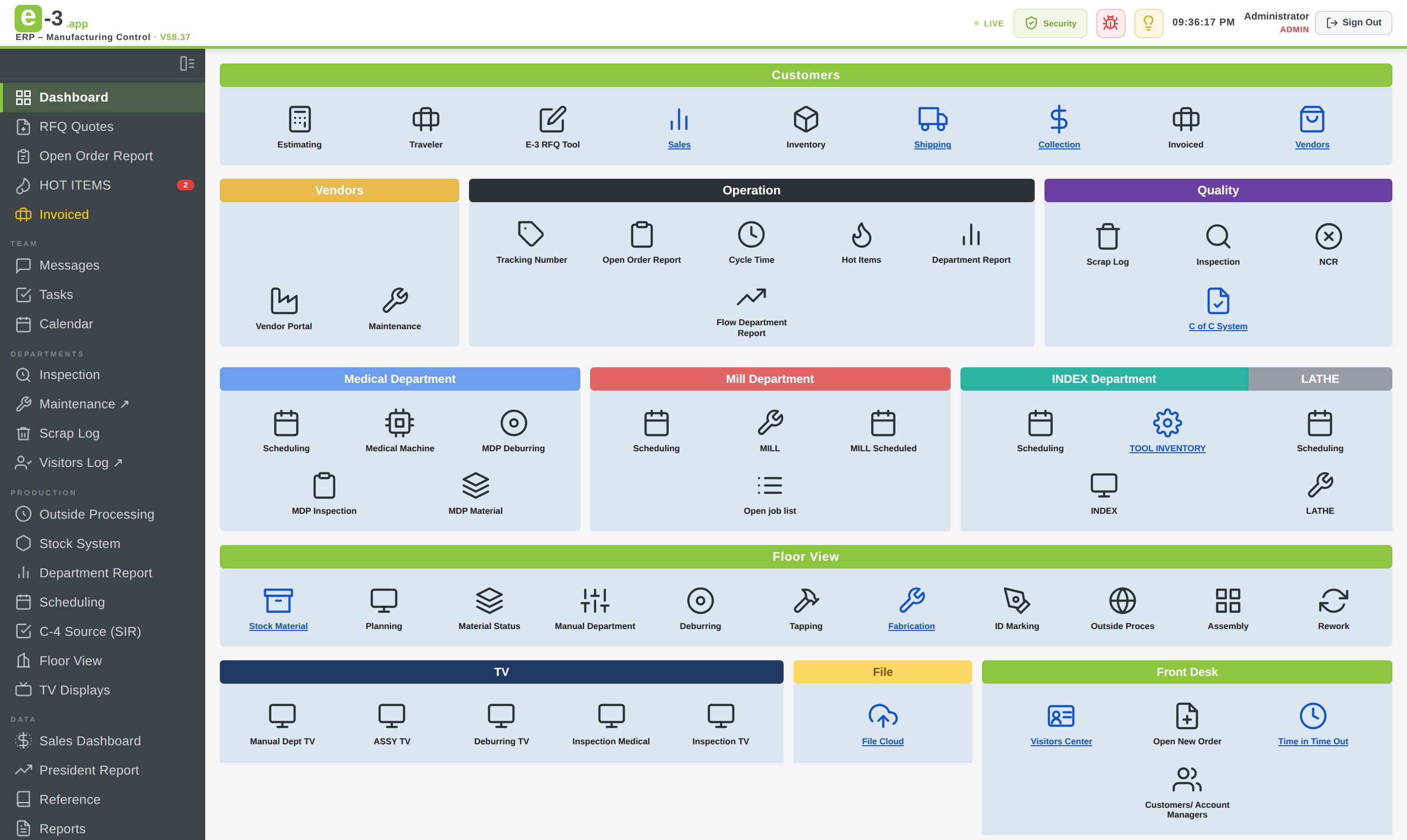
From the first RFQ to the collected invoice — and everything on the floor in between — E-3 keeps the whole company working from the same live data. These are the modules in the sidebar and the top bar, organized exactly the way the app organizes them.
The company at a glance — every process step and every module one click away, with a search box that finds any order, job, part, quote, P.O. or customer.
Every request for quote from arrival to award: packages, drawings, approvals, the quote PDF and overdue reminders. Repeat parts are flagged and go back to their previous estimator.
The estimate sheet per part — machines, rates, run minutes, set-up, material, hardware, outside process, mark-up and the price per quantity. Old Excel quote sheets import straight in.
A won RFQ lands here first, not on the floor: the customer P.O. file is uploaded and every part has its drawing before data entry opens the order.
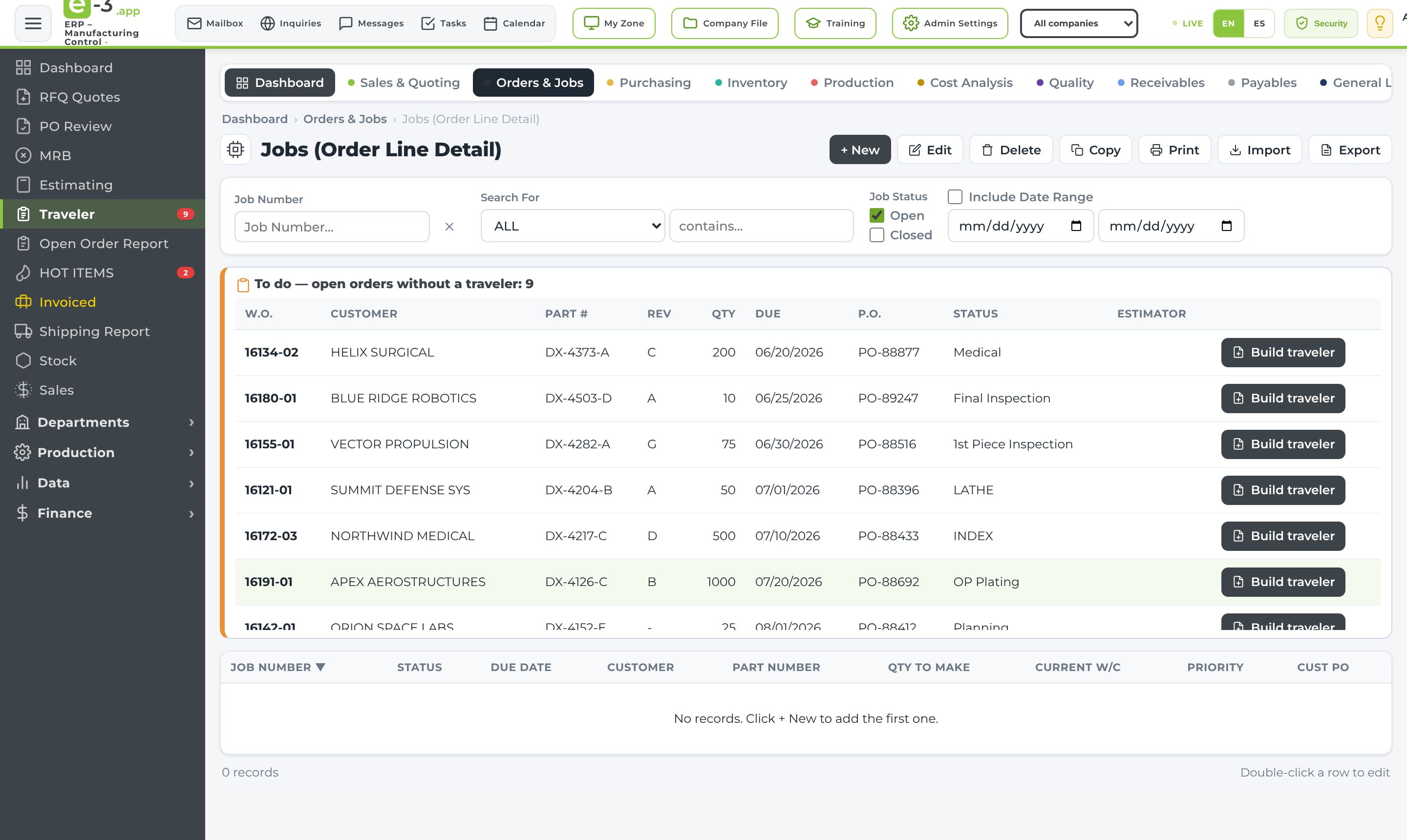
The job traveler: work order, routing lines with work centers, set-up and cycle times, requirements and notes — printed with a job label, straight from the order line.
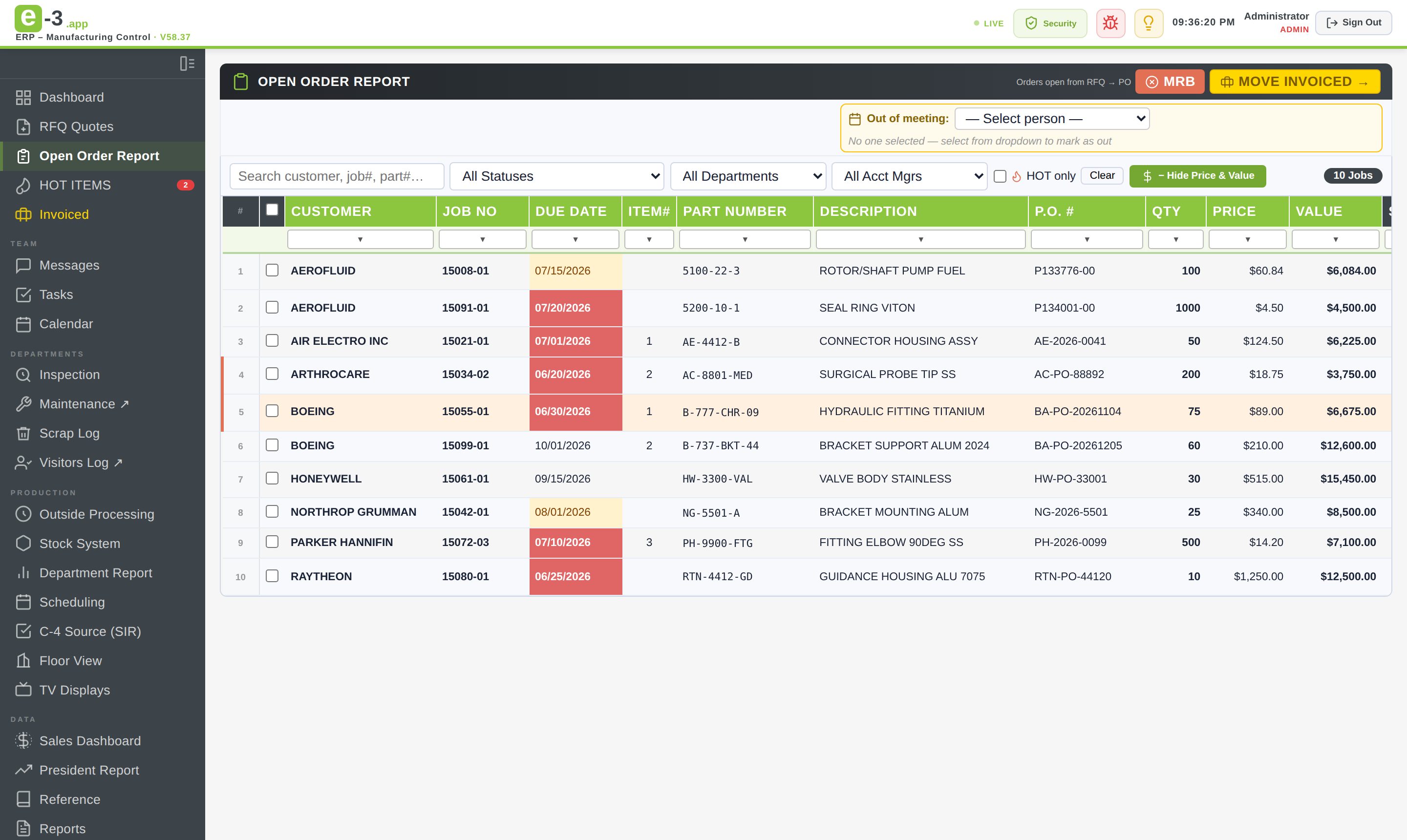
The live backbone of the shop — every open order with status, due date, quantity, split and value, with Google-Sheets-style column filters and a full change history per line.
The jobs that matter right now, badged and front-and-center for everyone — marked right on the Open Order Report and the floor TVs.
Material Review Board orders for internal rework, opened from the front desk and tracked on the Open Order Report like any other job.
Every invoiced order in one archive, feeding the sales dashboard, the President report and collections automatically.
Ship date, carrier and tracking number on every shipped line — the record the customer portal and collections read from.
Finished parts on the shelf — search by part number, work order or P.O. Stock badges show up on the Open Order Report and on RFQs for the same part.
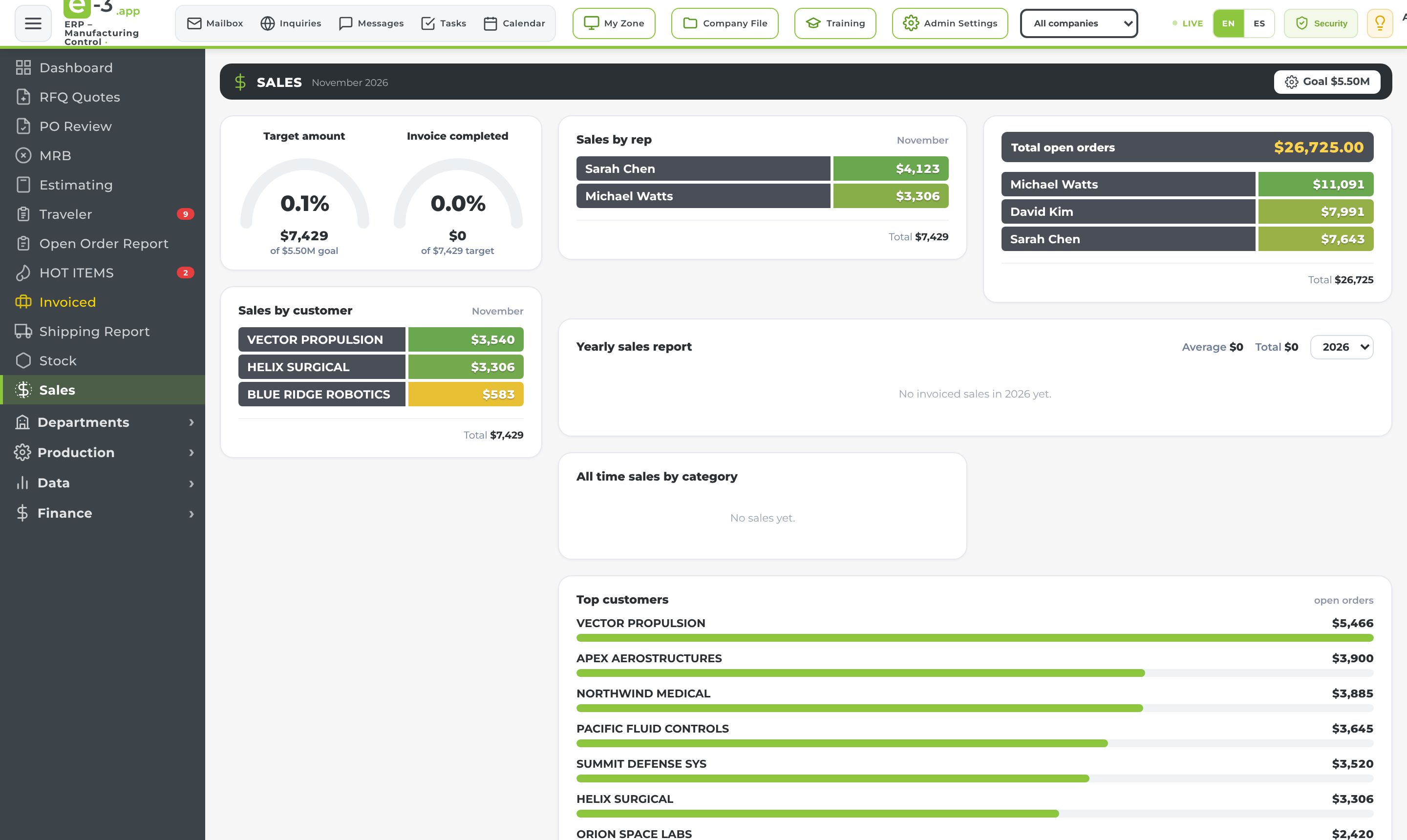
Target vs. invoiced gauges, backlog, sales by rep and by customer, account managers and the yearly sales chart — the sales picture without a spreadsheet.
Company messaging inside the ERP — direct messages, private groups and attachments, with read marks that follow you from device to device.
Assign to-dos to anyone in the company and track them on a To do / In progress / Done board — everyone sees what's on their plate.
The shared company calendar — events, deadlines, reminders and visits everyone can see from any device.
Each person's private space — notes, a personal to-do list and their own drive, next to the company data but separate from it.
The company cloud drive — folders, permissions per user, search and upload, with US-persons-only folders for ITAR drawings and customer P.O.s.
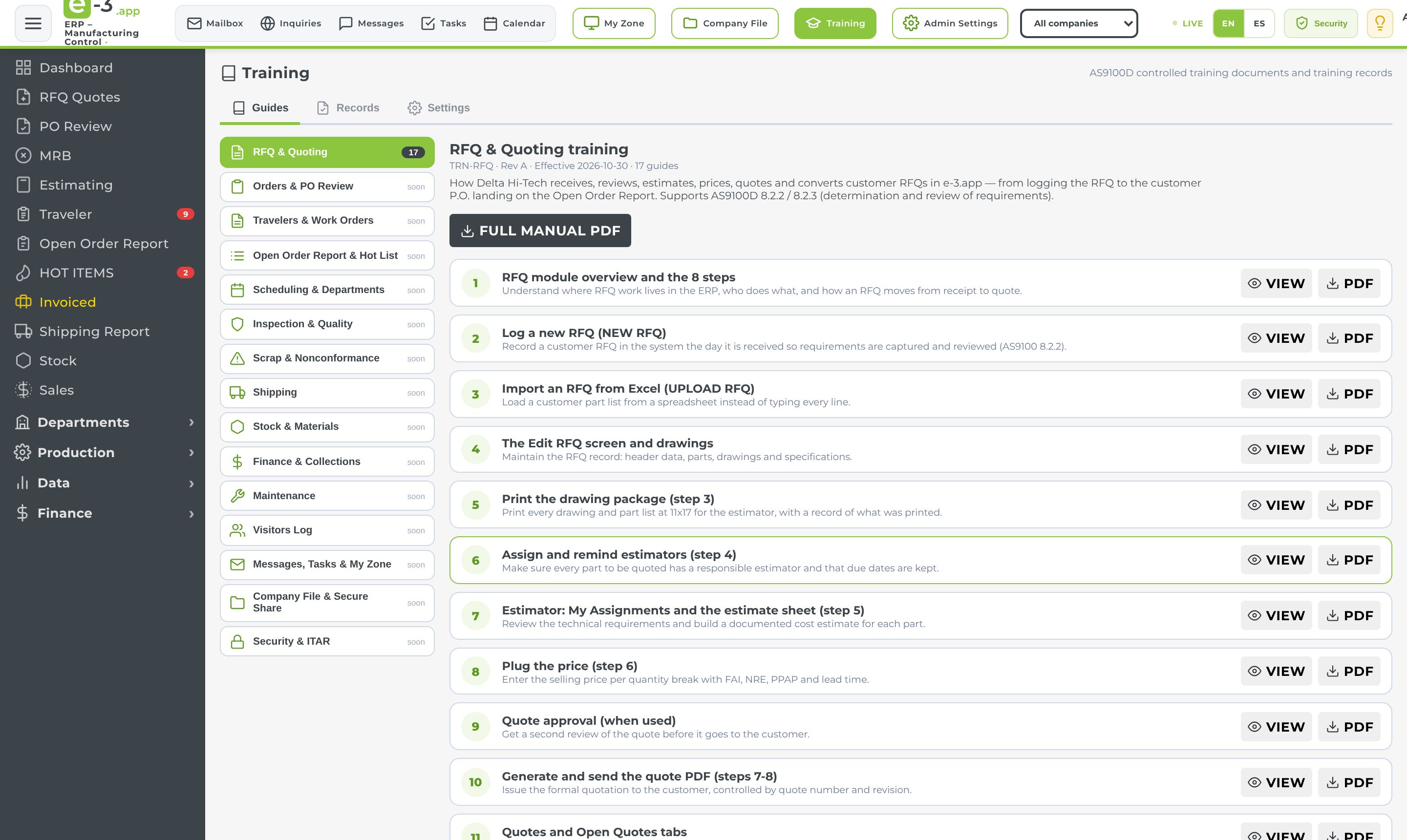
AS9100 training guides for every function of the ERP, readable on screen or as a controlled PDF, with signed records that expire and email before they do.
A complete email client for the company contact address inside the ERP — inbox, sent, spam, reply and forward — for administrators.
Every quote and contact form sent from the company website, scored and spam-filtered, with a daily summary to sales and a flag on anything unanswered after 3 days.
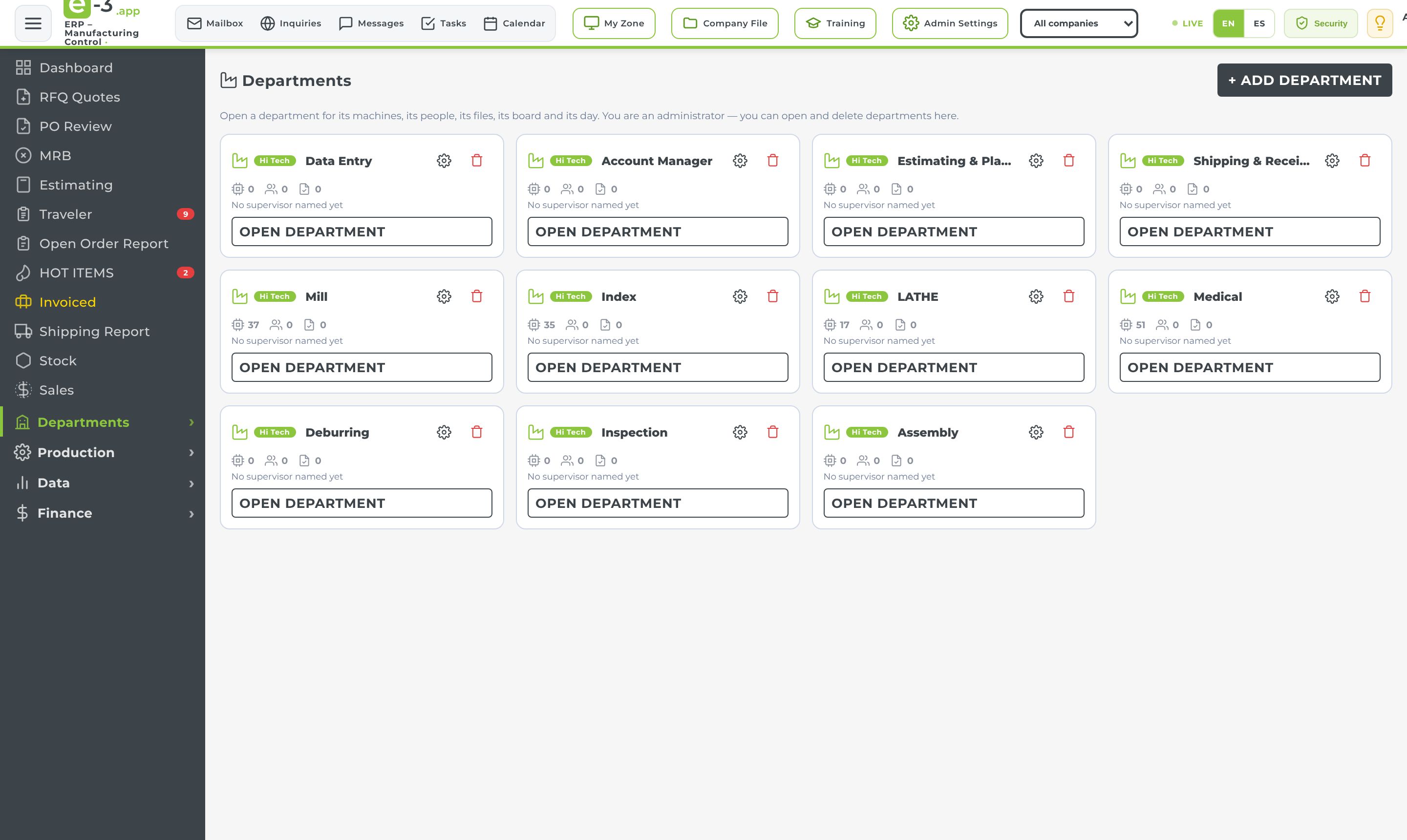
Every department gets its own page — its machines, its people, its files, its tasks and a daily dashboard fed by the modules it already works in.
Quality inspection tied to the jobs it belongs to — first piece to final, with a receiving log, priorities and a pending-over-24-hours report.
An iPad in a fixed stand photographs each part; the system checks every marked hole for its Helicoil insert and says PASS or FAIL per part.
Report a machine down from any phone, dispatch techs and vendors by SMS, track costs to the penny — with KPIs on top.
Record every scrapped part with reason, split and cost, emailed to the people who need to know — see where material and hours are being lost.
iPad kiosk check-in for both buildings with ITAR agreements, instant notifications, customer-visit planning and a live log.
Raw bar and plate on the racks, with mill certs and photos on every line, the vendor, the P.O. and the location.
Parts sent out for plating, heat treat and other outside ops — what's out, where, the value, and when it's due back.
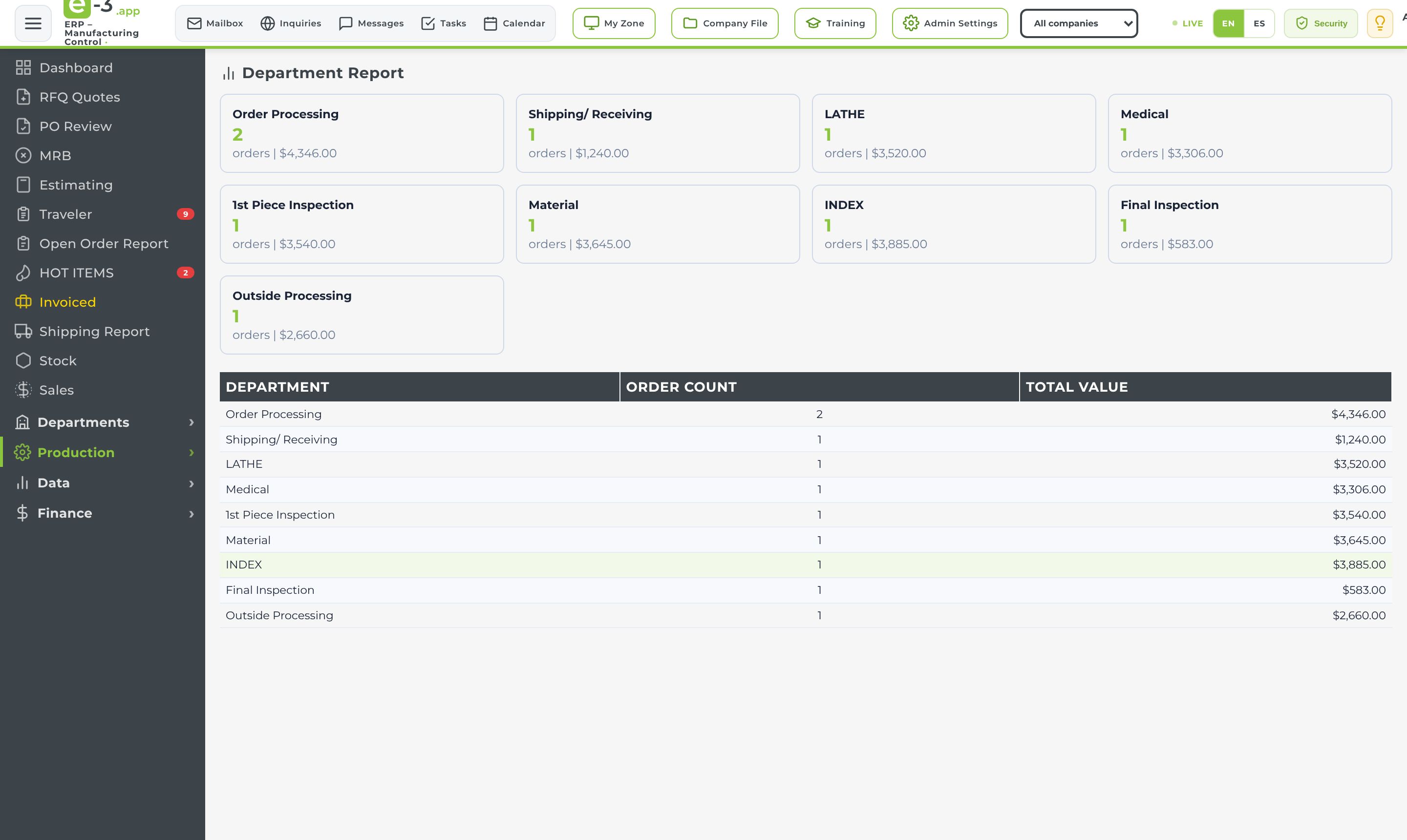
Orders and value broken down per department — spot the bottleneck before it costs a delivery.
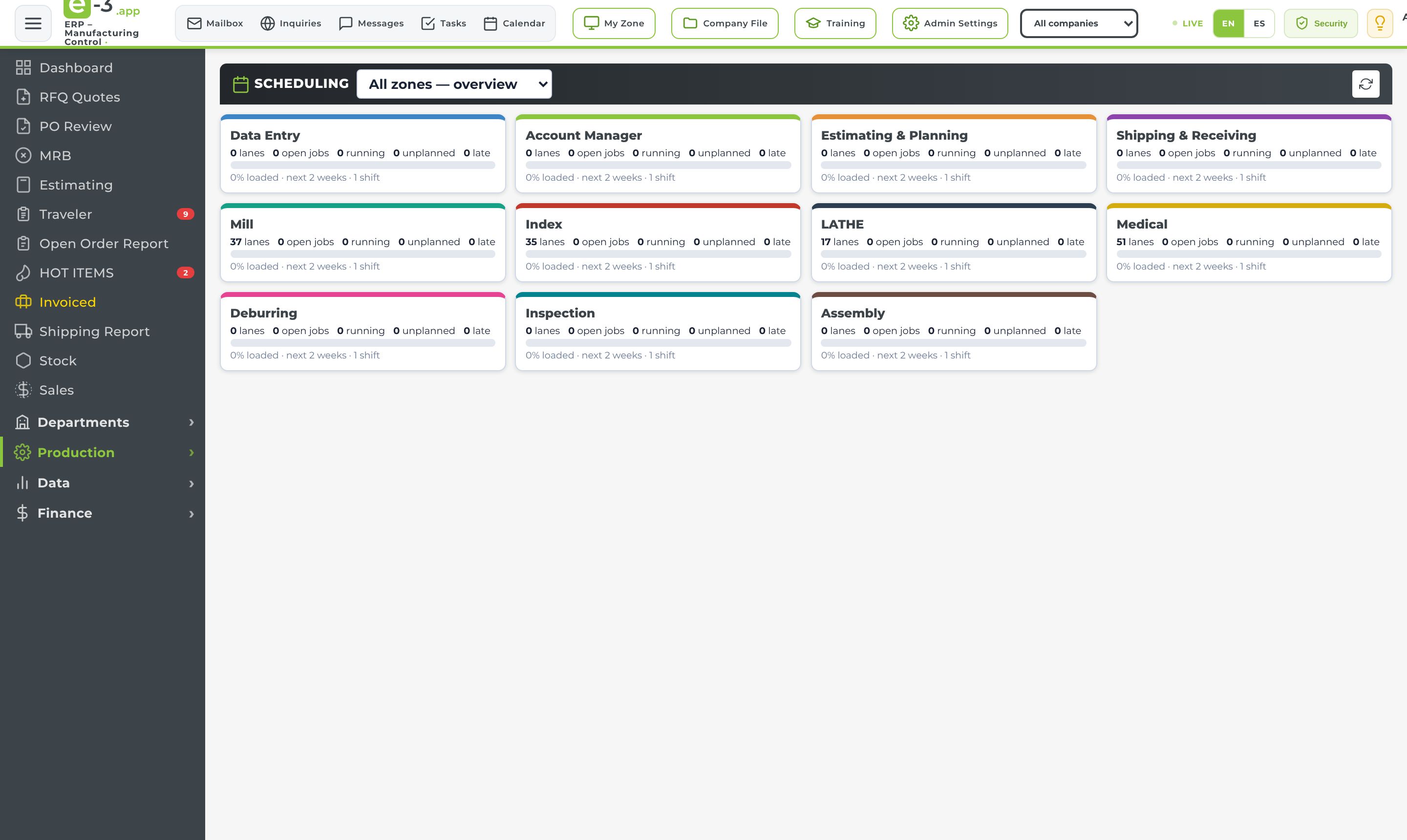
Every department is its own zone: machine lanes, shift calendar, drag-and-drop planning board, Gantt timeline, capacity load, conflict alerts and a what-if mode.
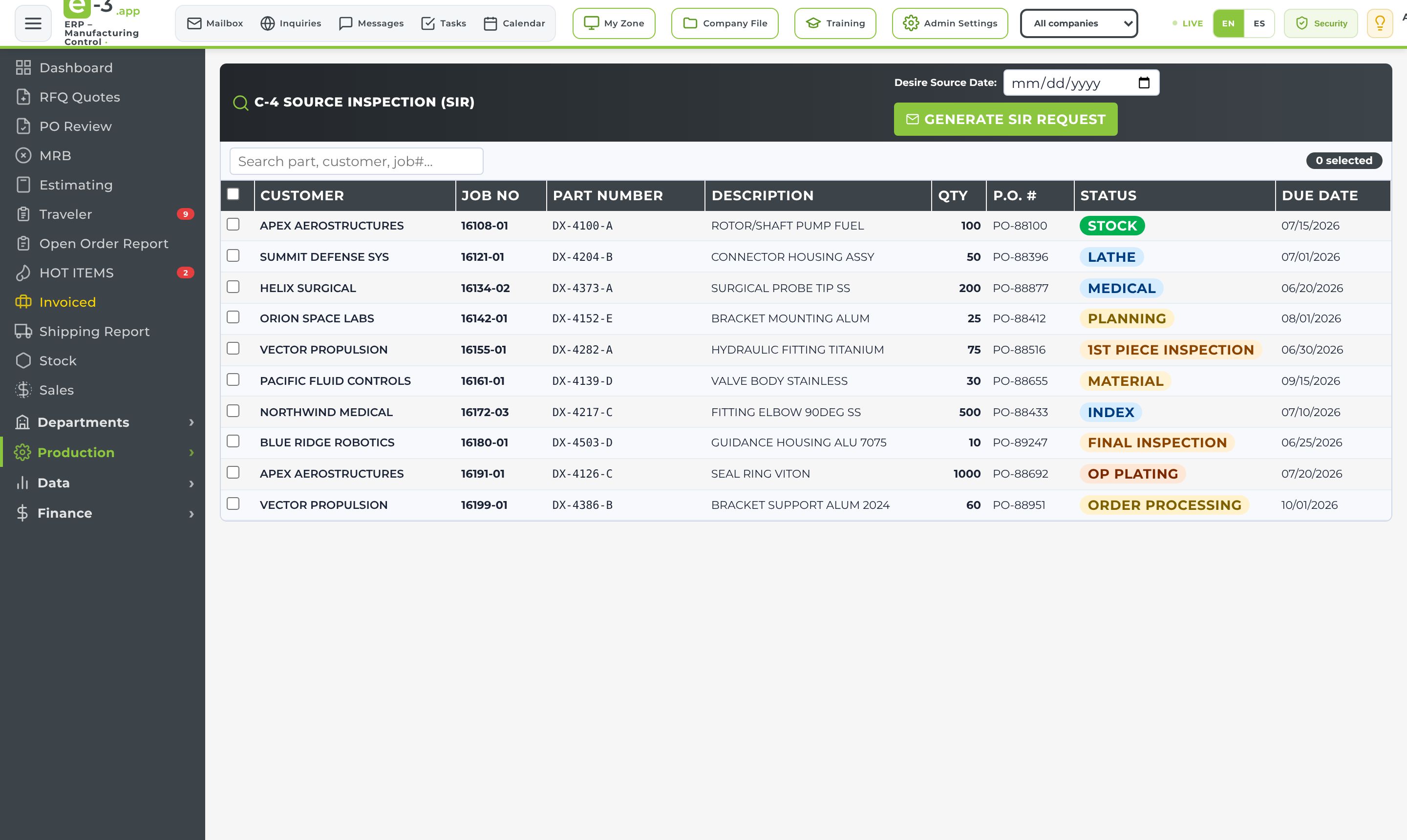
Source inspection requests generated from the open orders, with the desired source date — ready to send in one click.
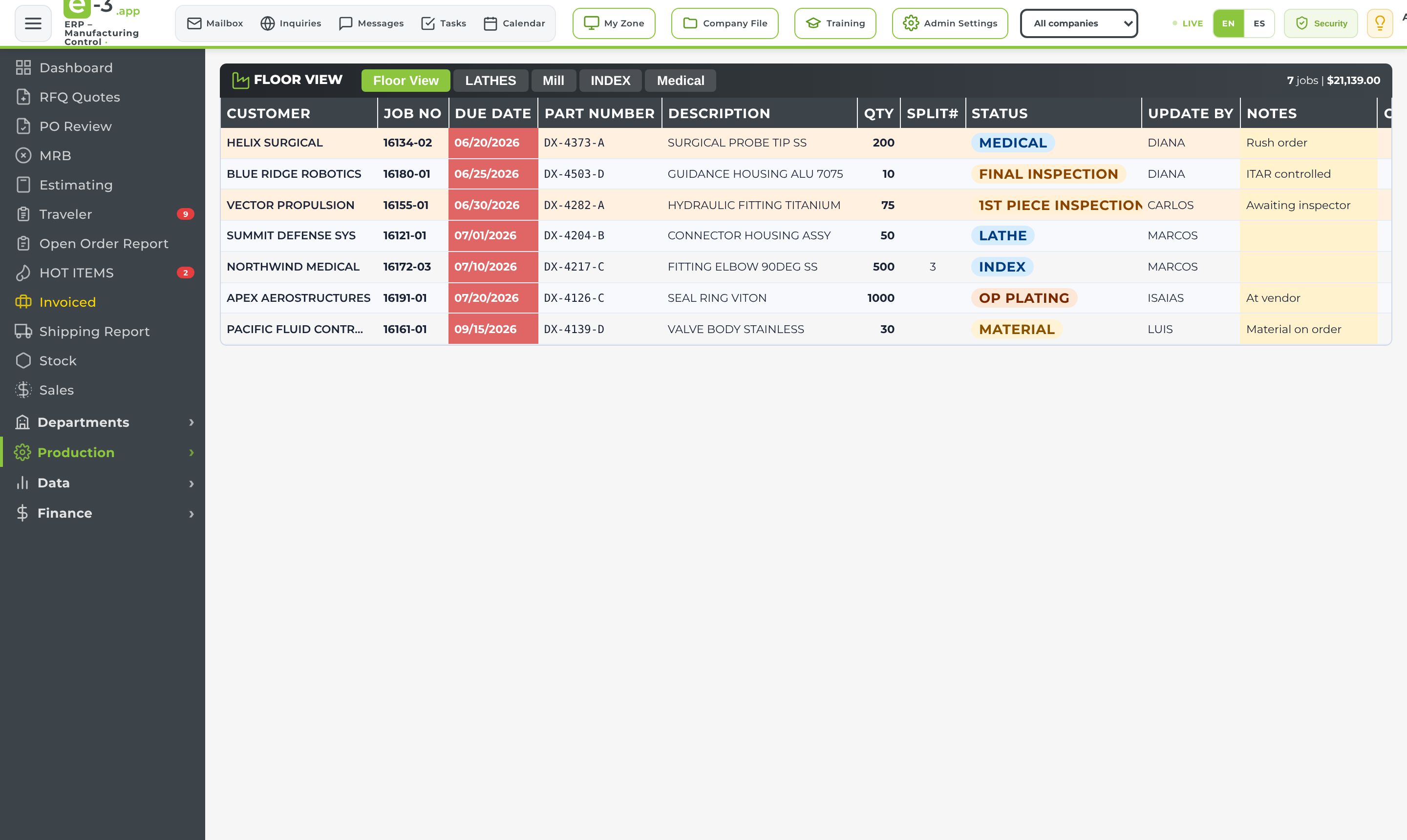
A live map of the floor per department — which machine is running what, with cycle time and quote time, from any device.
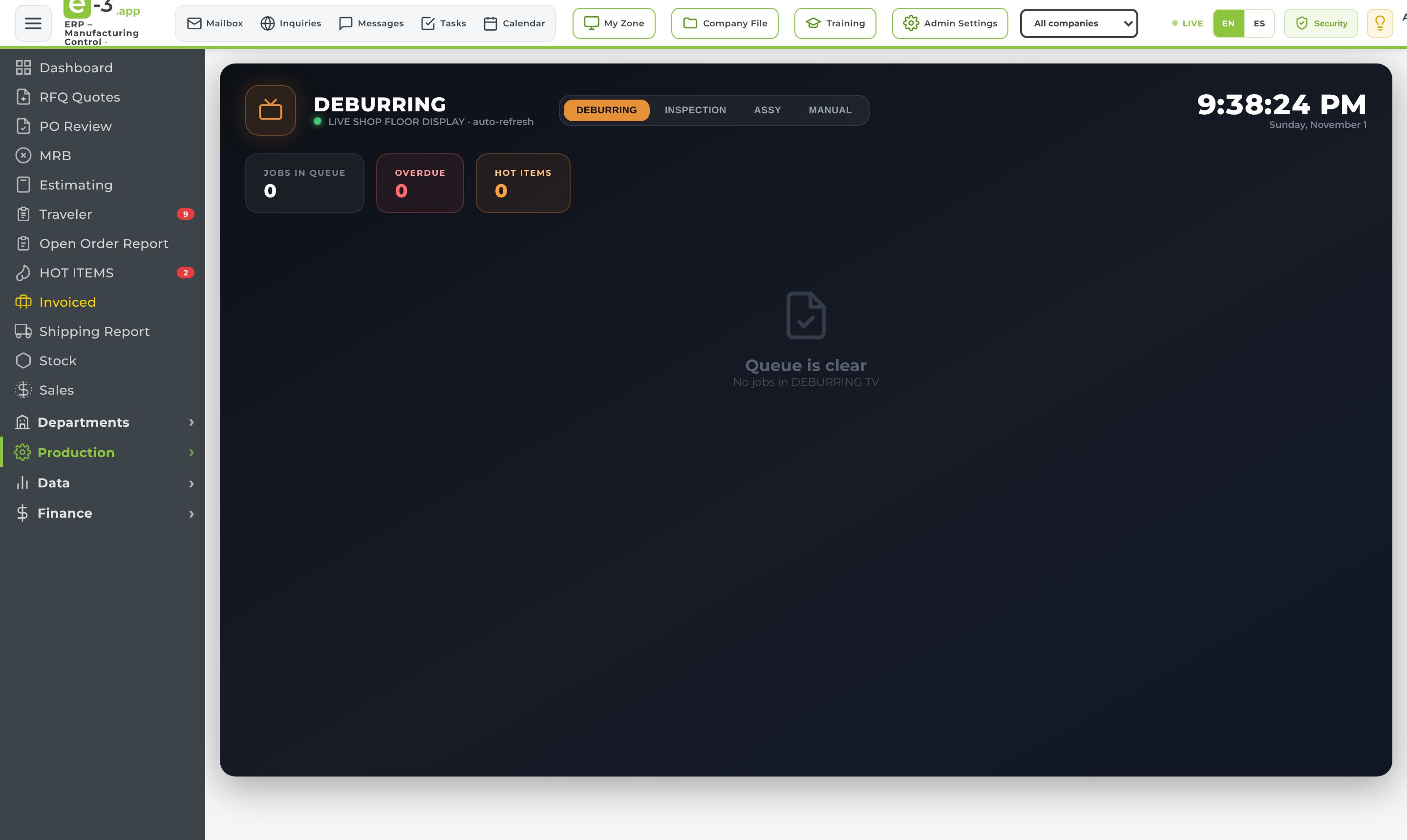
Big-screen modes for the shop floor TVs — deburring, inspection, assembly and department queues, always on, always current.
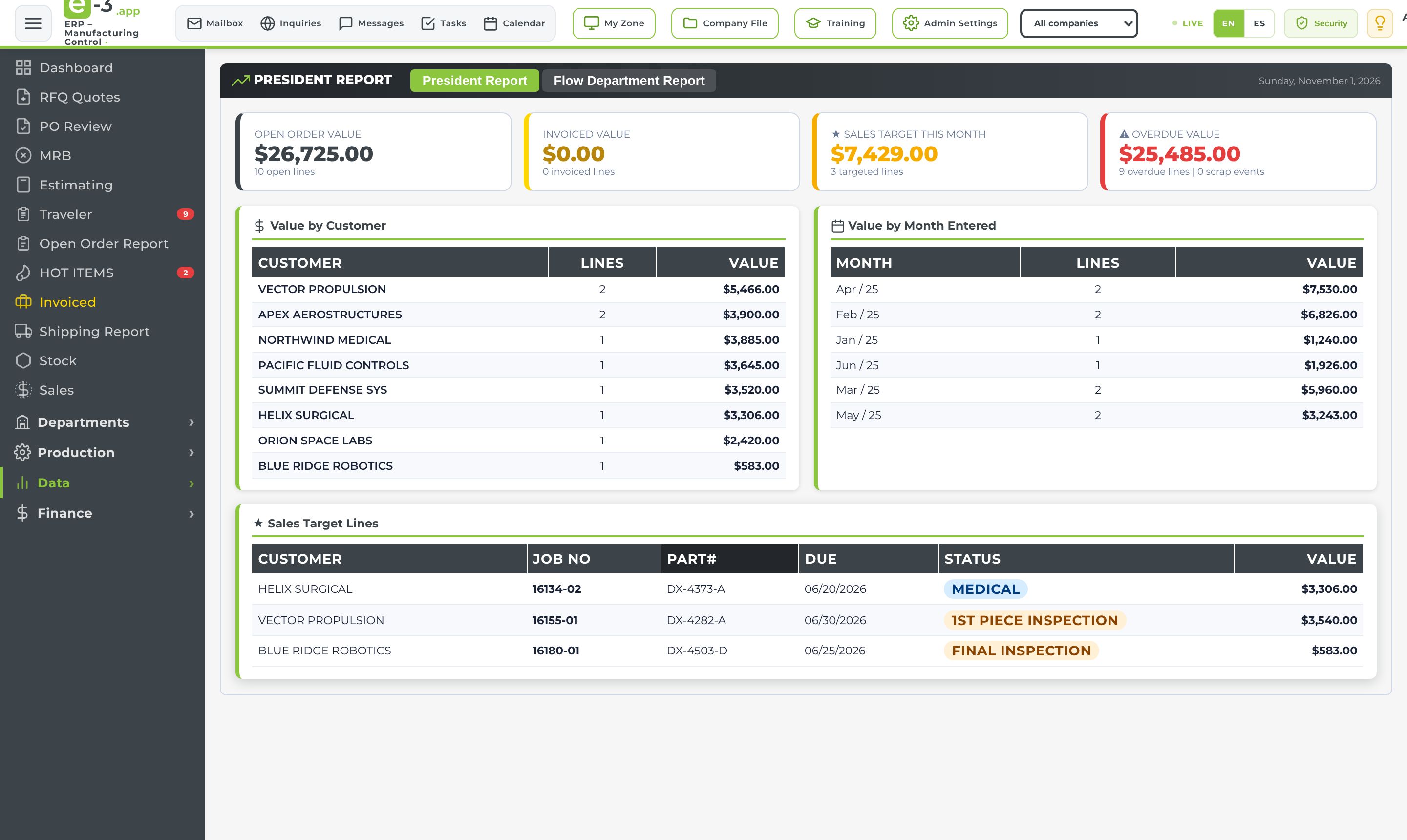
The owner's daily view — open value, invoiced this month, value by customer and by month, and the lines that need attention, on one page.
The shop's reference library — the status system and abbreviations, who updates what, email lists, customers and terms.
The automated daily reports on screen — outside processing and vendor P.O.s, MRB and NCR, pending inspection and pending maintenance over 24 hours.
Receivables on every invoiced order — invoice number and date, terms, due date and amount due — see what's outstanding and for how long.
The whole company — names, roles, departments and phone numbers, always up to date.
Users, roles and permissions, the menu builder, the status list, floor operators, portal buyers, deleted-line recovery and company data — all self-service.
The upper-management view — collection by month, by customer and by account manager, with past-due and over-90 at a glance.
Accounts receivable on the shipping data — invoices, cash receipts, AR aging, customer statements and customer P.O.s, built the way the old AR module worked.
Customer AP contacts, payment terms and invoice email options — so statements and overdue emails go to the right desk.
The classic shop system rebuilt on E-3: quotes, orders, jobs, purchasing, receiving, inventory, time tickets, NCR/CAPA, AR, AP and G/L — with audit trails on every record.
The latest releases, straight from the production system — each one asked for by someone on the floor or at the front desk.
Every change shows up on every open screen within seconds. Avatars in the top bar show who is in the app and on which screen — click one to jump there.
Send drive files to customers and vendors as a secure link, never an attachment — approved contacts only, two-person rule for US-only files, expiry, download cap and a full log.
An operator signs in with a cell phone and a texted code, finds the work order and updates status, note and split — no prices, no E-3 account, every update stamped.
An iPad photographs each part in set views; the system checks every marked hole for its Helicoil insert and calls PASS or FAIL per part.
Repeat parts auto-assign their previous estimator, quotes close themselves when every part is priced, and the old Excel quote sheets import in one click.
A P.O. is not an order until its file and every drawing are in; then the traveler is built from the order line and printed with a job label.
Hi Tech, Fabrication and Medical each run their own machines, departments and numbers — the top-bar picker shows one, or all together.
Controlled training guides per ERP function with a trainee sign-off sheet; signed records expire on a date and the system emails before they do.
Every table header filters and sorts like a spreadsheet; deleted order lines are kept and can be recovered with their history; one click is always one action.
Buyers see their own lines, ship dates and tracking on the company website; vendors answer RFQs on their own portal — each one sees only what is theirs.
Every quote or contact form from the company website lands in the ERP, scored and spam-filtered, with a 4 PM summary to sales and a built-in mailbox to reply.
One tap on the top bar switches the whole app — every screen, every button — between English and Spanish, per user.
One order, one thread of live data. Every step below is an E-3 module — nothing is re-typed, nothing lives in a side spreadsheet.
The same interface everywhere — desktop in the office, tablet at the front desk, phone on the floor. Shown with sample data. Click any screenshot to enlarge it.
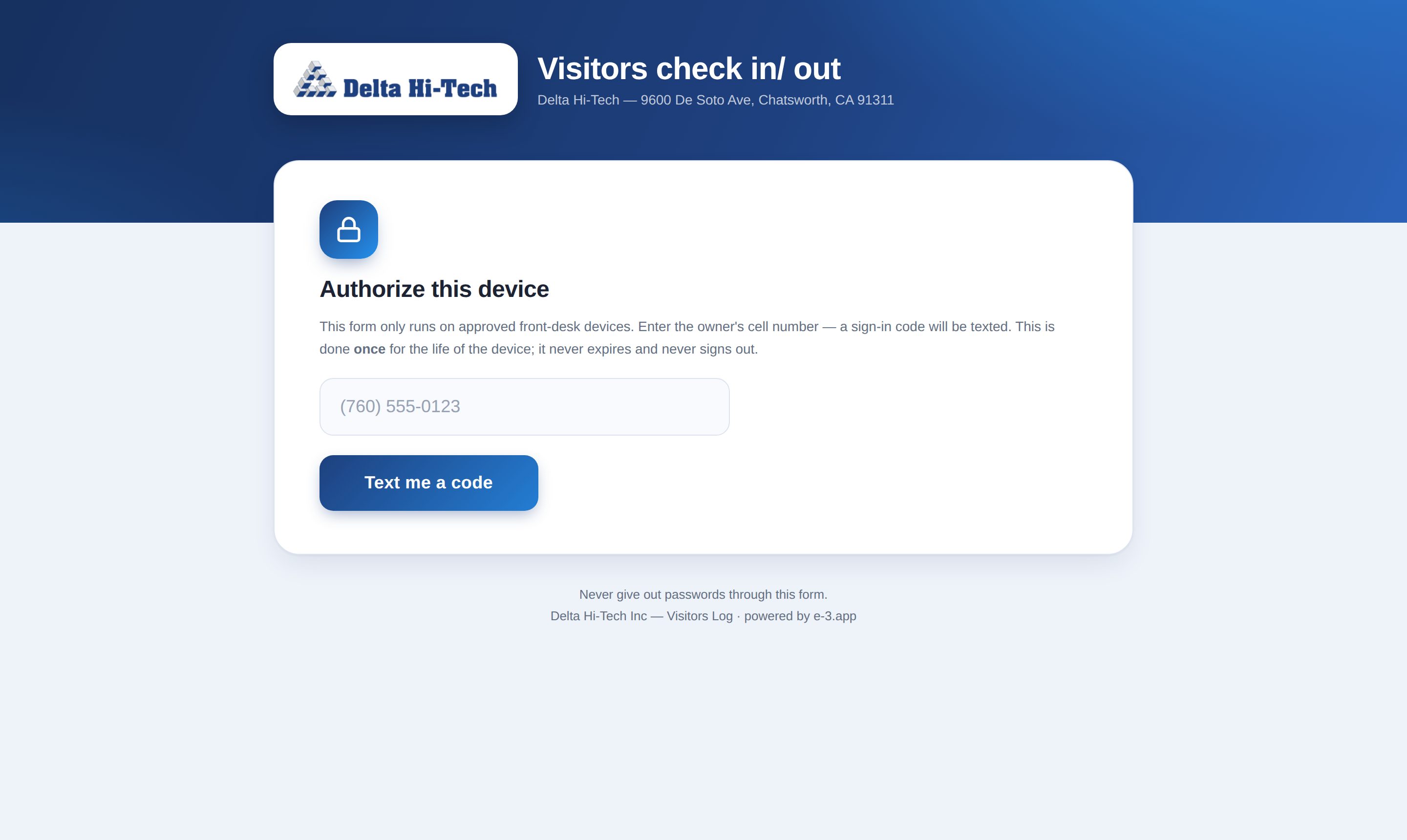
Six portals run as their own screens with their own sign-in — built for the people who use them: operators, techs, vendors, buyers and the front desk. No E-3 account needed.
A machine goes down. Here's what happens — all inside E-3:
Every visitor accounted for, in both buildings — and customer visits planned like clockwork:
Operators sign in with a cell phone and a texted code, find the work order and update status, note and split. No prices, every update stamped with name and time.
Vendors receive RFQs and answer them on their own portal — pricing and lead time flow straight back onto the RFQ line, marked as the vendor's answer.
Buyers sign in on the company website and see their own open lines, ship dates and tracking — matched on the server, so no customer ever sees another's data.
Customers and vendors open shared files through a link, with an email code plus an authenticator app — the email itself carries no file, no name, no message.
E-3 runs fully serverless on Amazon Web Services — nothing to install, nothing to maintain, and it scales with the shop.
E-3 ships with a live security center: its controls mapped to ITAR (22 CFR 120–130), NIST SP 800-171 and CMMC 2.0, tracked and auditable — straight from inside the app.
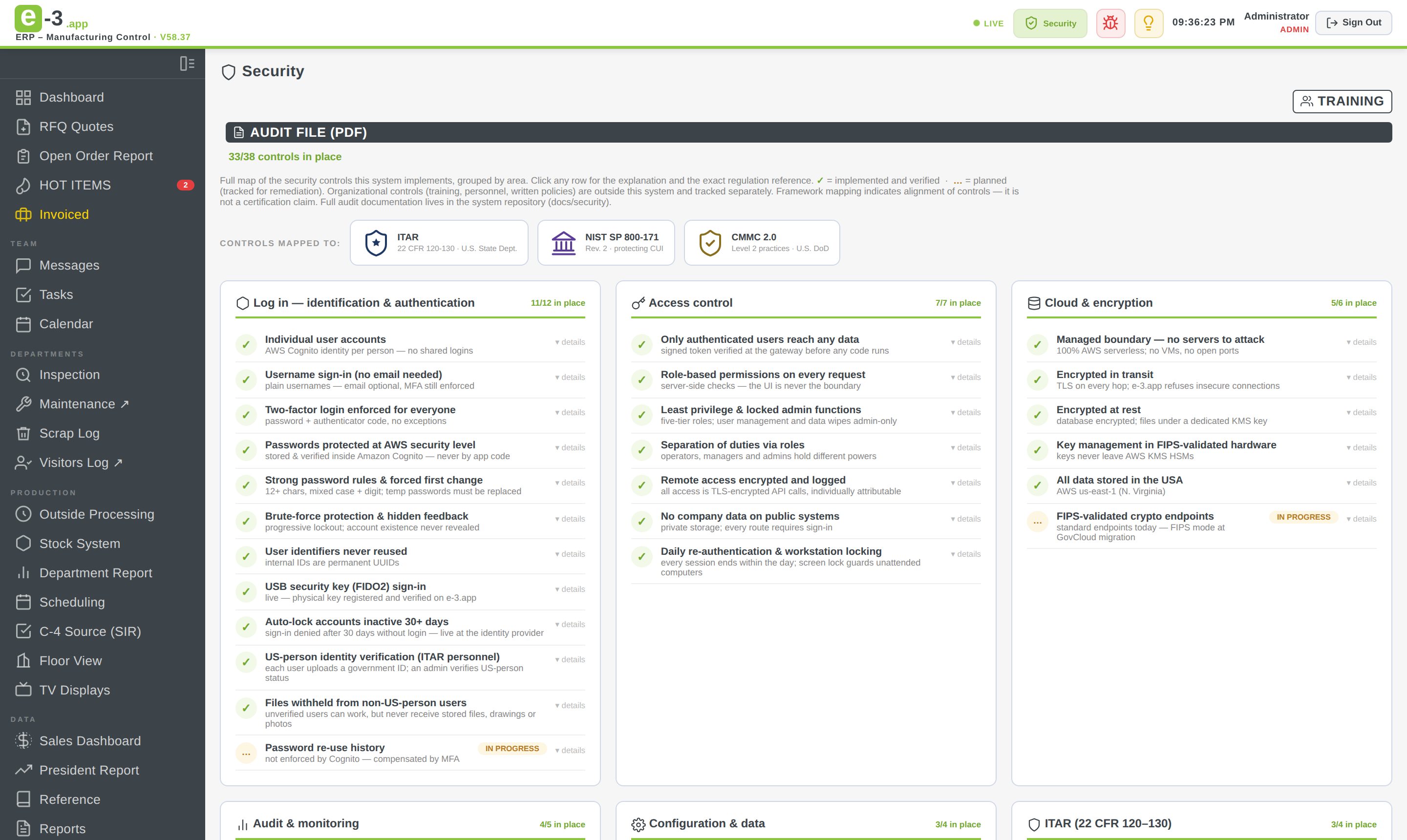
E-3 isn't a product built by a software company guessing at how a machine shop works. It was built module by module to run an actual shop — and it does, every day, from the front desk to the President's report.
Our proud flagship customer, Delta Hi-Tech Inc. — a precision CNC manufacturer machining complex parts for the aerospace, defense and medical industries — runs its entire operation on E-3, with over 160 CNC machines on the floor across three companies: Hi Tech, Fabrication and Medical.
That's why every screen answers a real question someone on the floor actually asks.
Meet our flagship customer ↗Questions about E-3, a demo request, or anything for the E-3 team — write to us and we'll get back to you.
Every email to contact@e-3.app goes straight to the E-3 team's inbox — most messages get a reply within one business day.
Everything above is one login away. If your company runs on E-3, jump in — the shop is already running on it.
Log in to E-3